
Agents of Influence
Redesigning the teacher facing experience
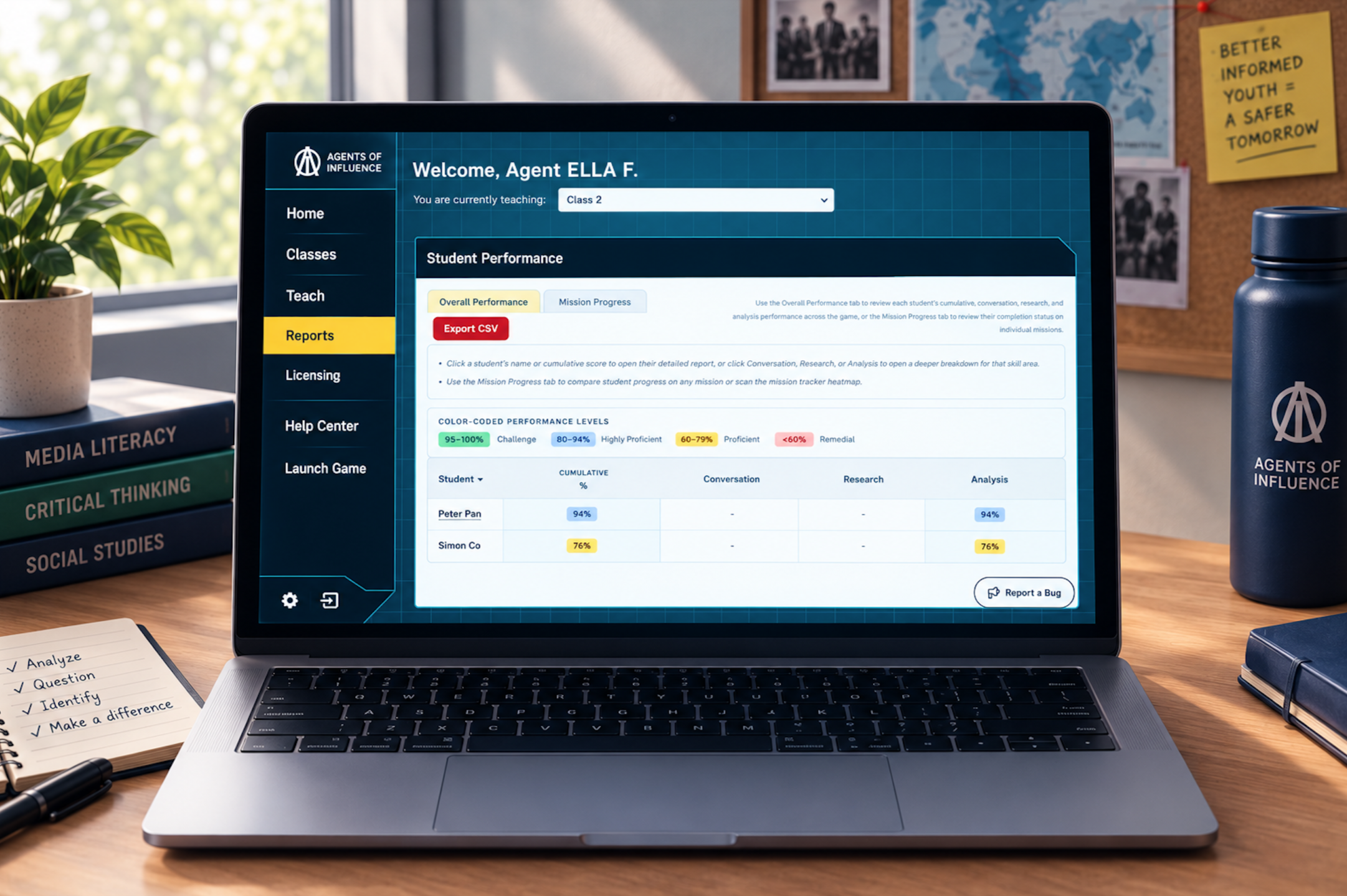
Agents of Influence is a spy-themed educational game designed to help middle school students develop skills for identifying misinformation.
The challenge
Teachers were having difficulty understanding and navigating the game's Assess experience, which presented student performance data across multiple reports.
As a UI/UX Design Intern, I helped evaluate and redesign this experience. I began by auditing the existing interface, identifying usability and information hierarchy issues, and exploring design directions that were later incorporated into the team's broader redesign.
Role: UI/UX Design Intern
Timeline: Feb. 9–23, 2026
Tools: Figma
Team: UI/UX Design Team + Company Director
My contribution
Audited the existing Assess experience
Identified usability and information hierarchy issues
Recommended improvements to teacher-facing microcopy
Created exploratory sketches
Shared design insights that informed the broader redesign
01. Auditing the Assess Experience
I evaluated the Assess experience from a teacher's perspective, focusing on how easily educators could find, understand, and compare student performance information. My audit focused on five areas:
Findability — Can teachers quickly locate student performance information?
Comprehension — Can they understand what the scores and visualizations represent?
Hierarchy — Is it clear which information deserves attention first?
Context — Can teachers understand the game's terminology without prior game knowledge?
Scanning — Can teachers compare student performance efficiently?
Key issues I identified
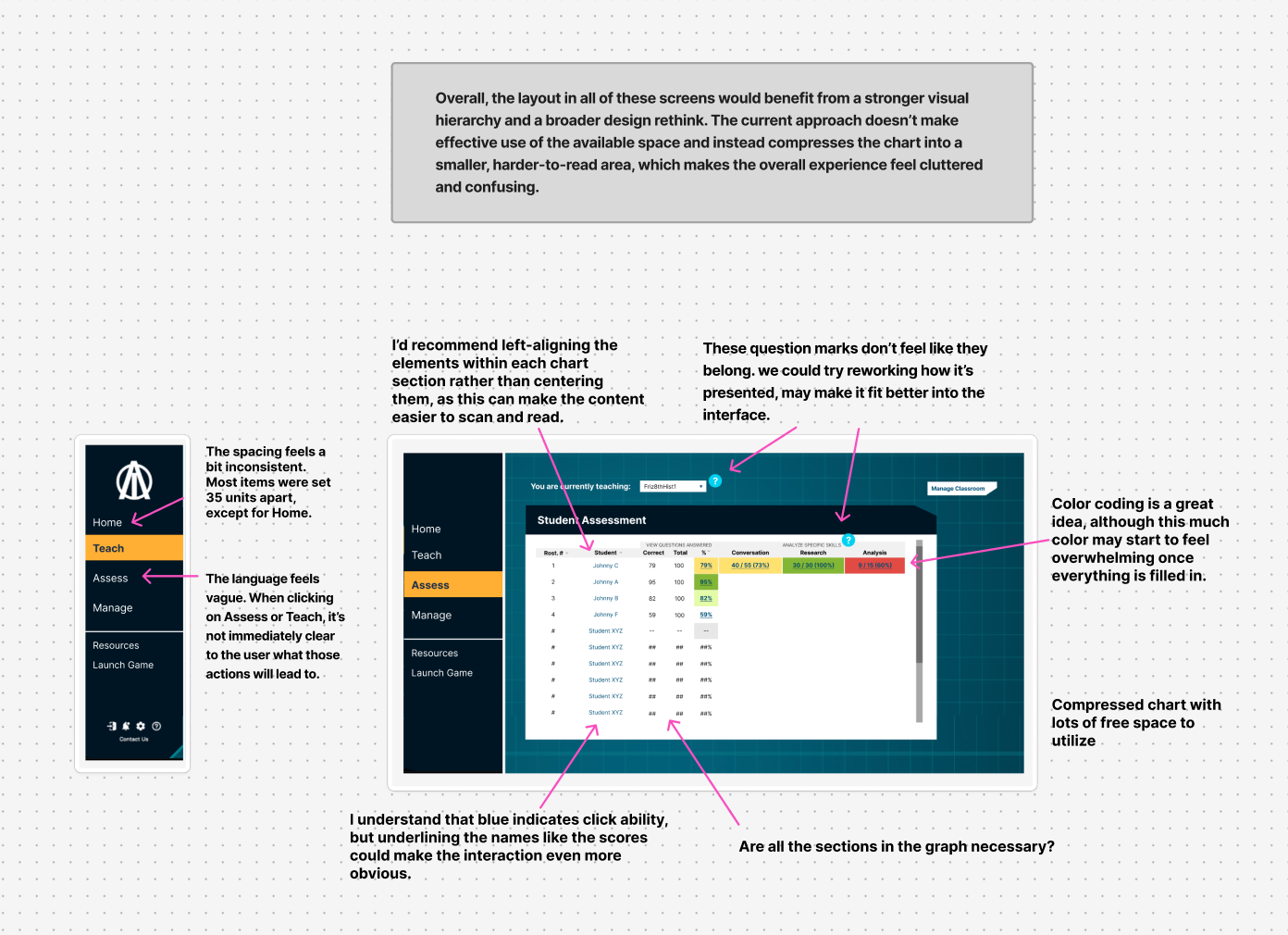
01 — Information overload
Important data was competing for attention.
02 — Limited hierarchy
Primary and secondary information were not clearly distinguished.
03 — Inefficient use of space
Charts and content were often compressed into small areas.
04 — Game-specific
Teachers unfamiliar with the game could struggle to interpret the data.
05 — Inconsistent presentation
Different parts of the Assess experience used different layouts and interaction patterns.
These findings became the foundation for my design recommendations and exploratory sketches, which I shared with the team as they developed the broader redesign
class overview Report page
Deep Dive Report page
02. Exploring Design Directions - class Overview Report
The problem
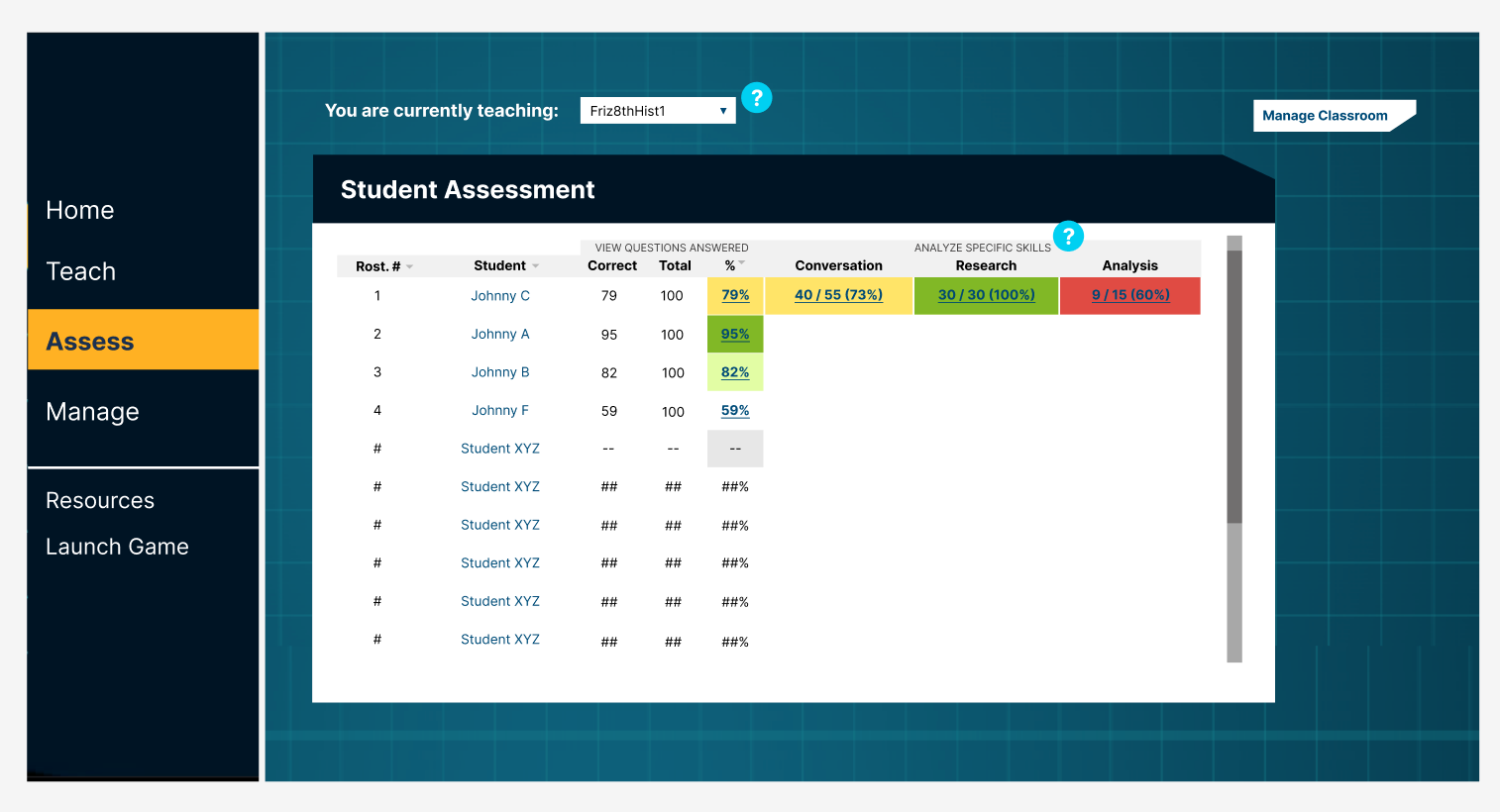
The original dashboard compressed important performance information into a small space, making it harder for teachers to interpret and scan.
Original Interface
Opportunity
Give the chart and performance data more space while prioritizing the information teachers need most.
Exploring a direction
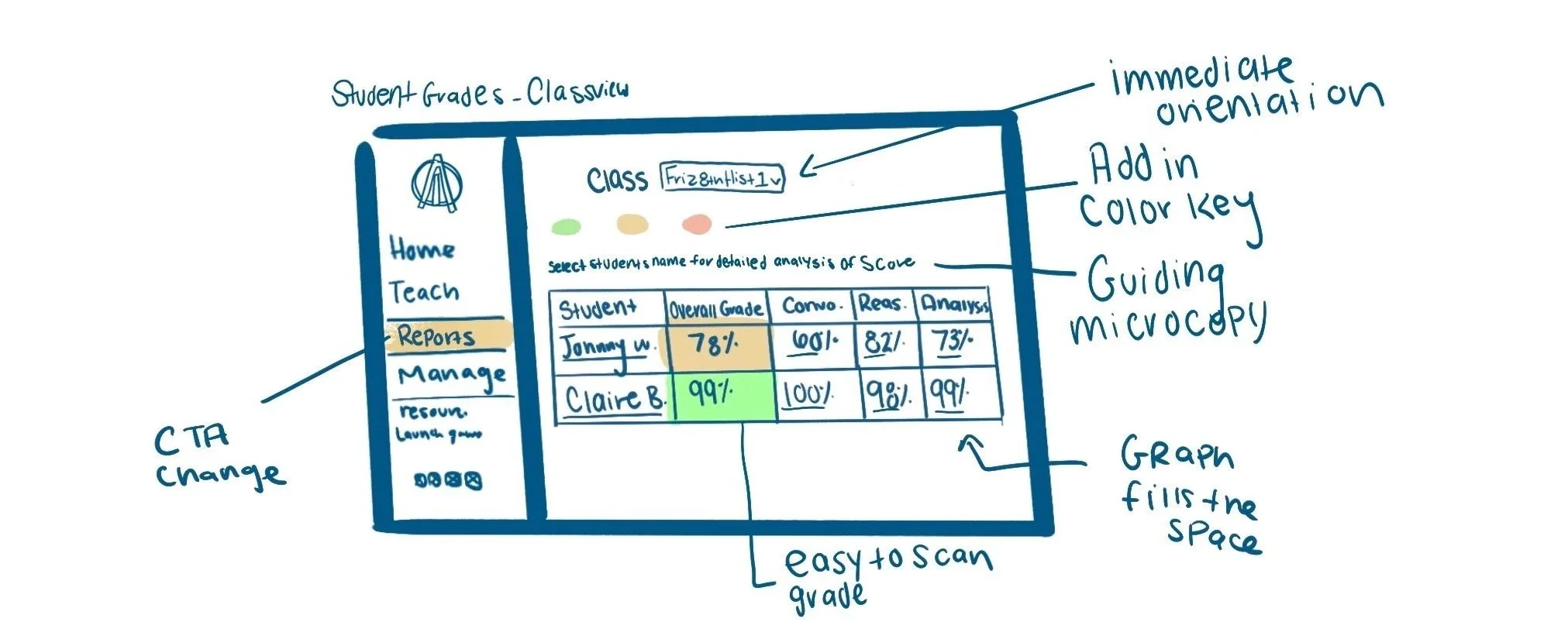
I translated the audit findings into a rough concept sketch, focusing on:
Scannable performance data - color-coded only the overall score to help teachers quickly assess class performance and quickly identify students they may need to take a closer look at.
Color as information - Introduced a clear key to explain what each performance color represents.
Guiding microcopy - Added instructional cues to clarify what information is interactive and where each interaction leads.
Prioritizing primary information - Gave the performance chart more space while removing secondary details, such as roster numbers and question counts, that were less useful for an initial overview.
Teams Redesign
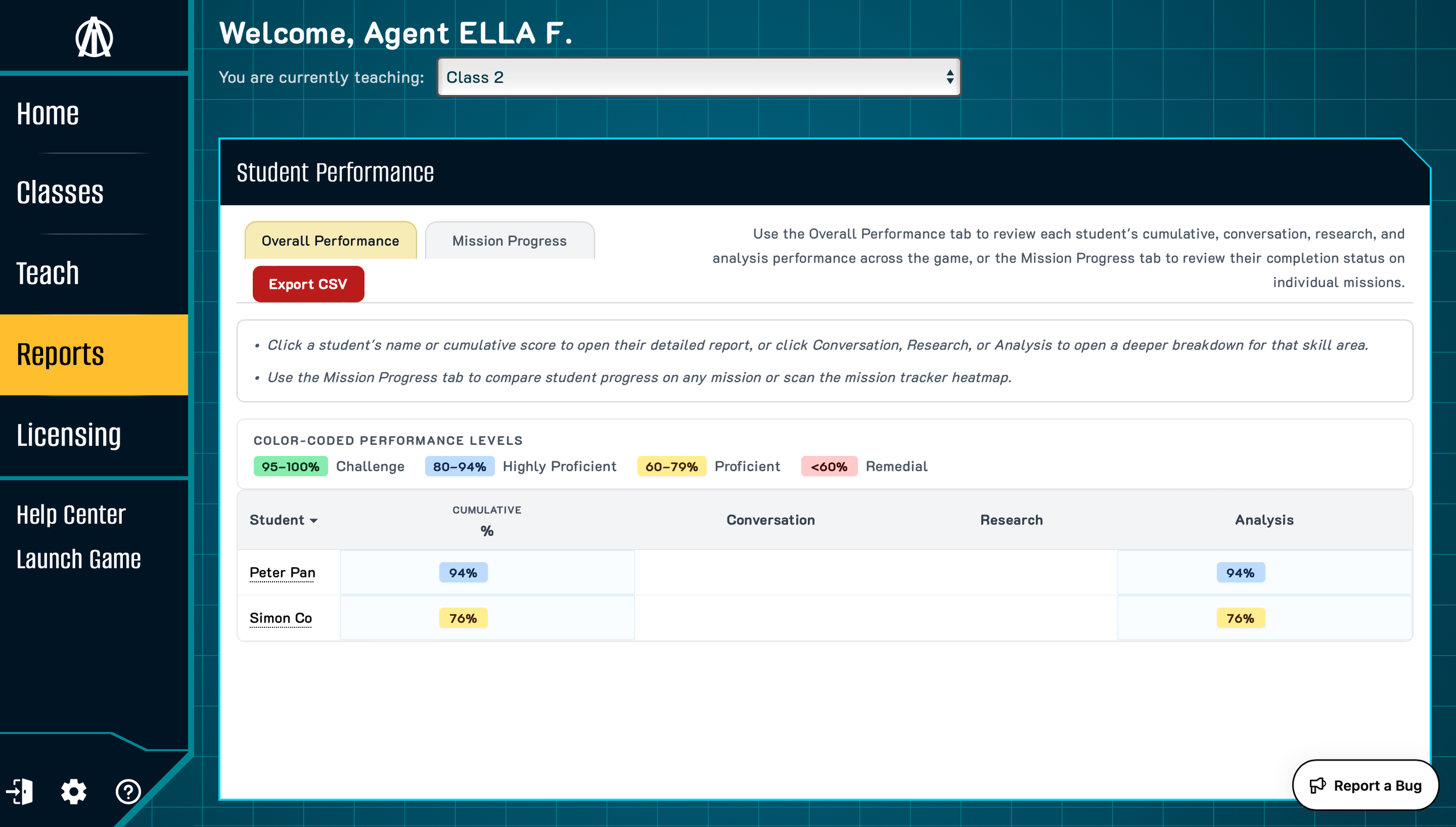
How my Design thinking was carried forward
The team's redesign reflected several of my ideas:
Better use of space - The chart was expanded to make better use of the available space on the page, making the data easier to read and interact with.
Less overwhelming data - The table was simplified with more intentional color coding
A clear performance key - A color-coded key was added to help teachers quickly understand what each performance level represents.
Clear guidance for interacting with data - Guiding microcopy was added to show teachers how to interact with the student data and make the most of the available information.
03. Exploring Design Direction - Deep Dive Report
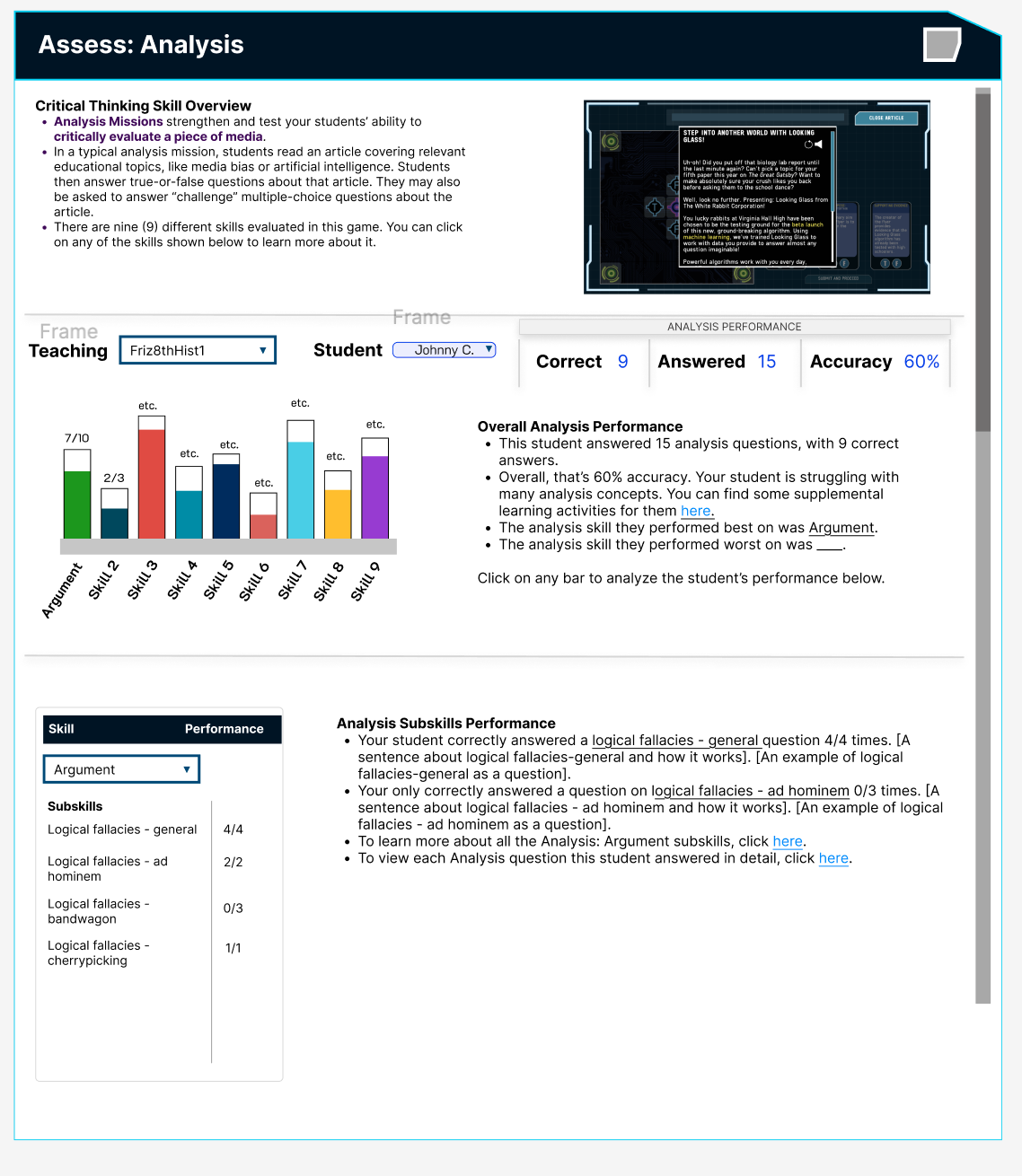
Problem
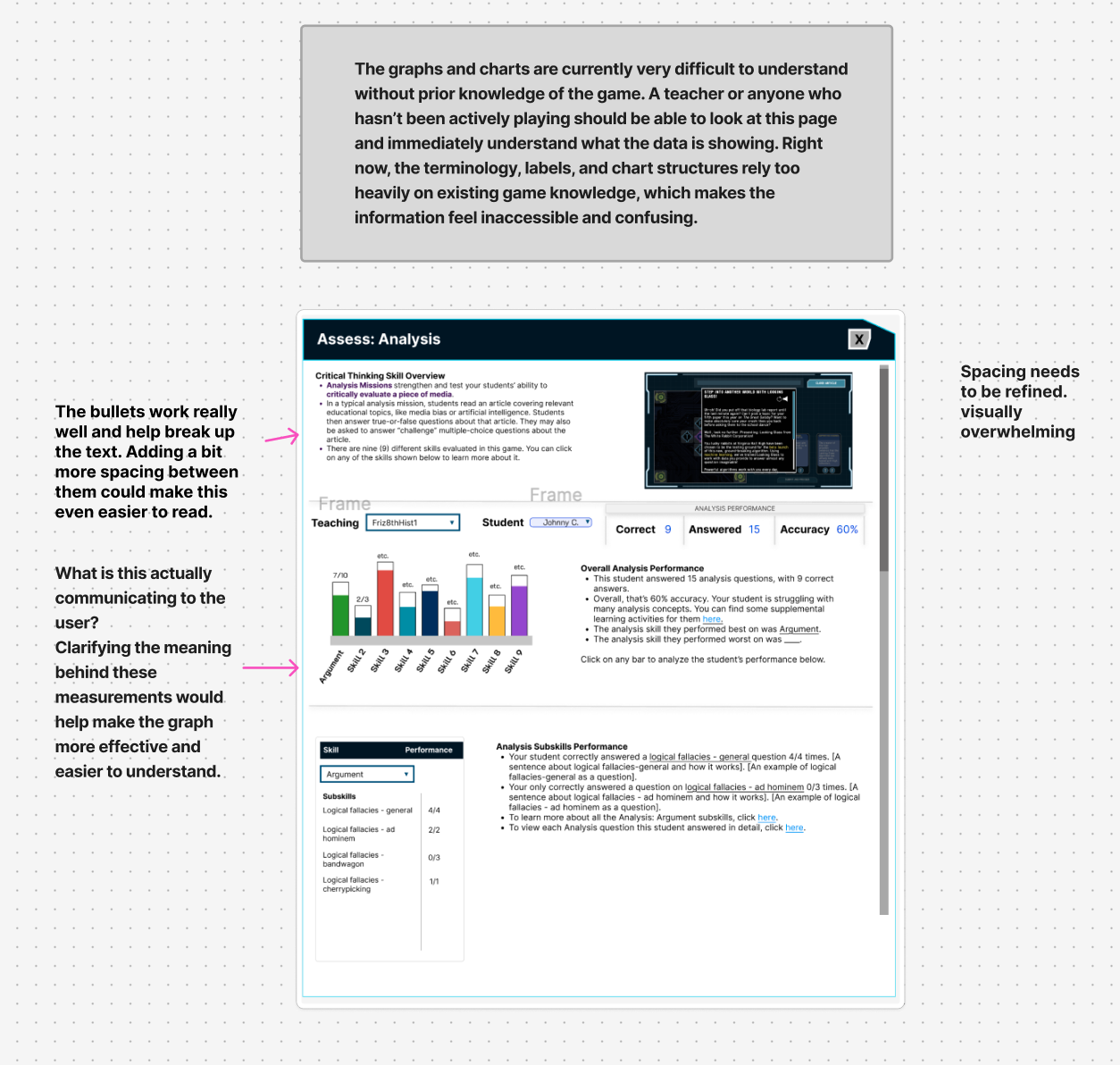
The deep-dive report relied on extensive game-specific knowledge, making student performance difficult for non-playing teachers to interpret.
Original Interface
Opportunity
Provide clearer context and intuitive visualizations so teachers can quickly understand what the data represents, why it matters, and how it relates to student performance.
Exploring a direction
I explored ways to make the report understandable without requiring teachers to already understand the game.
I focused on:
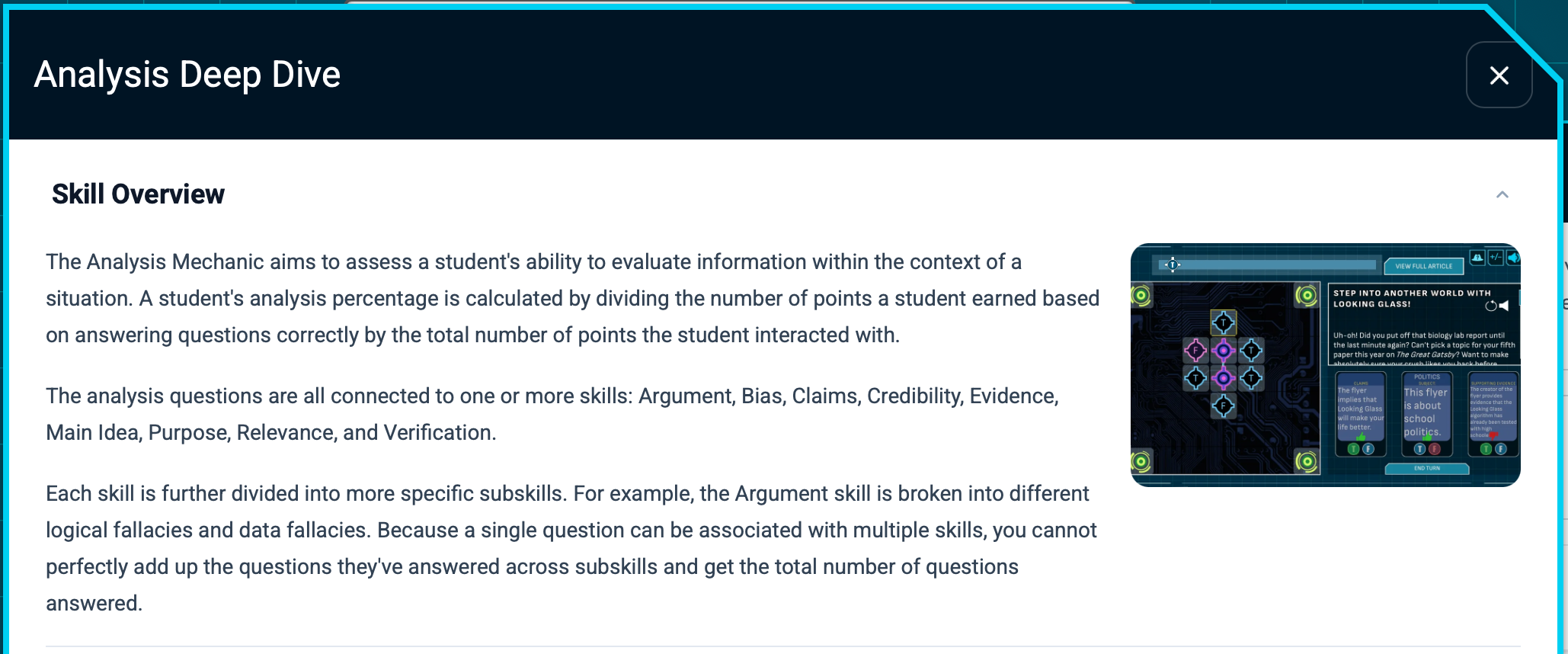
Adding context first - Explain why the information matters and how teachers can use it before anything else.
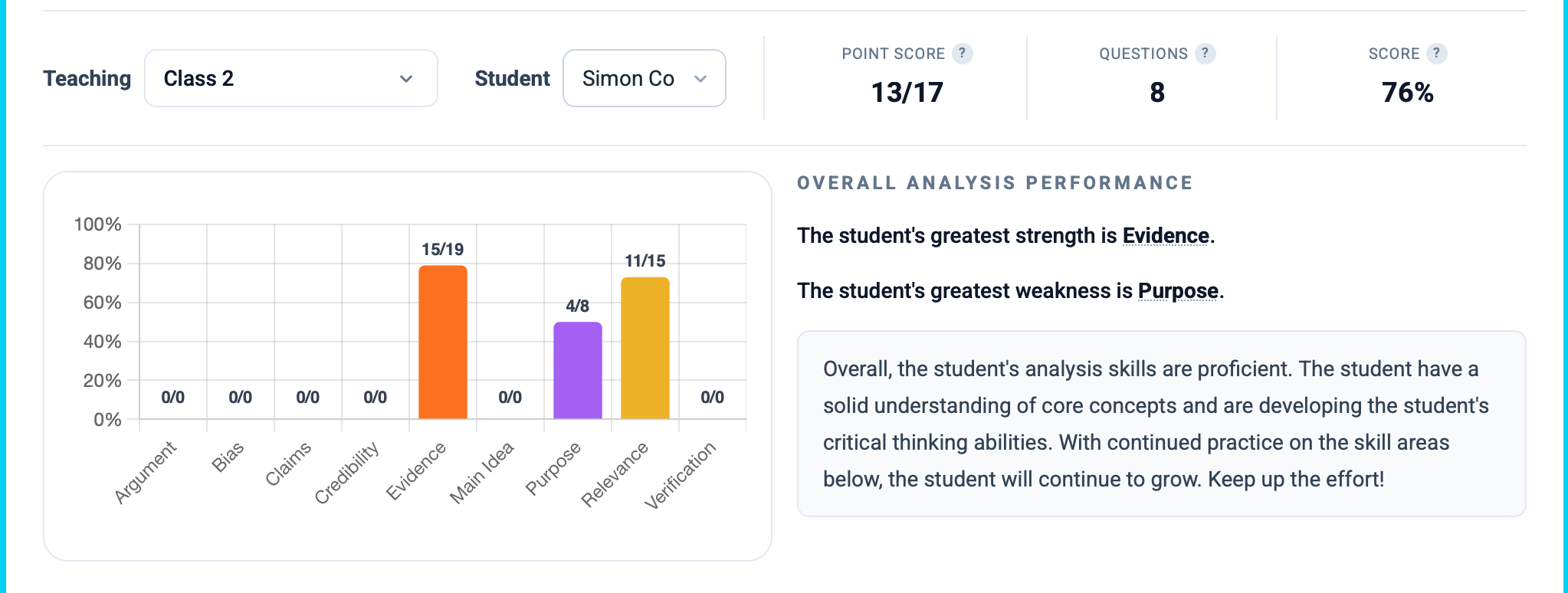
Refine the graph- Clearly label the graph with a descriptive title and both x- and y-axis labels, so teachers can understand the data at a glance without relying on the accompanying text analysis. Each chart should communicate its key takeaway on its own.
Let the chart do the explaining — Remove redundant text that simply repeats what the chart already communicates. Instead, use that space to provide context or guidance that helps teachers decide what to do next.
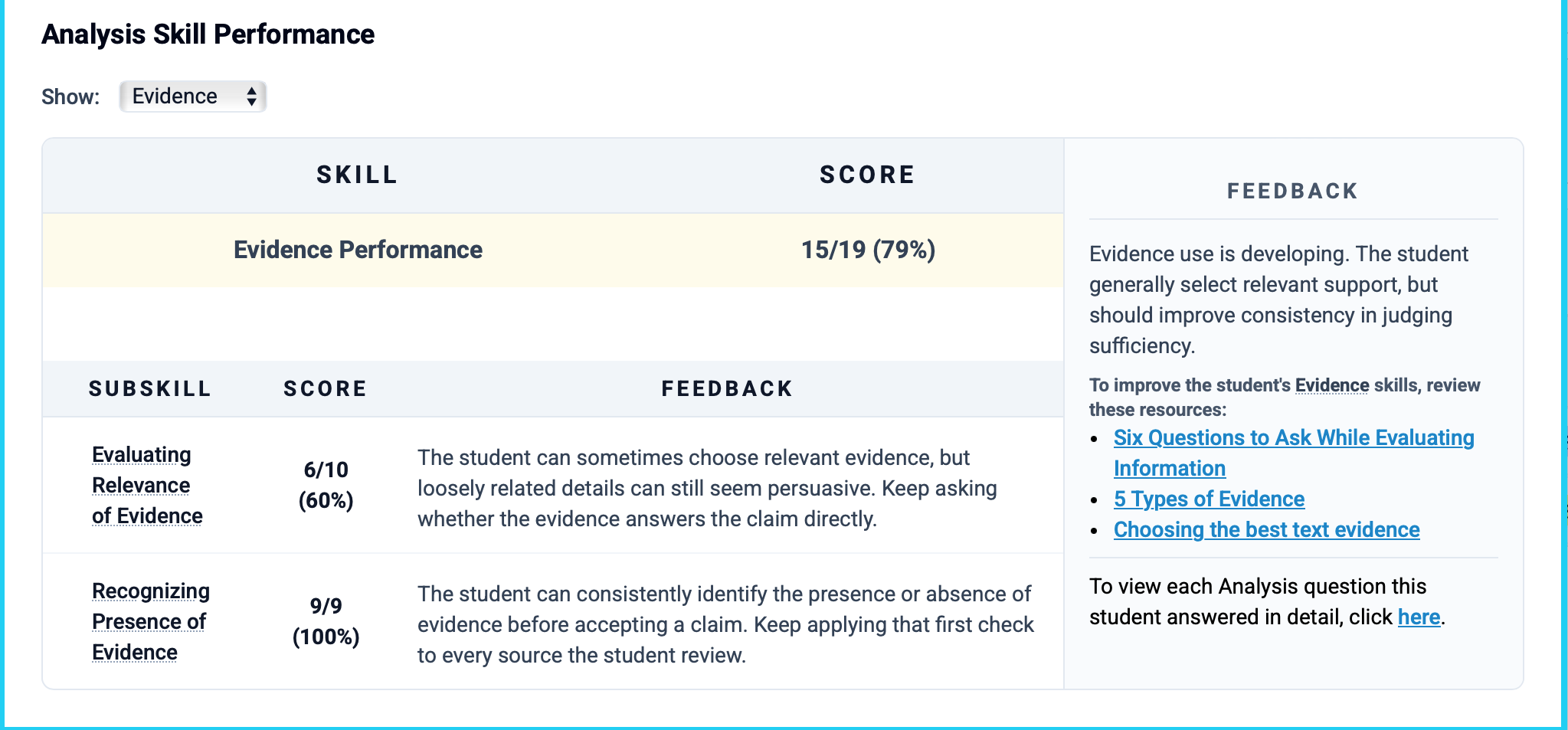
Make the skill breakdown more interactive — Reformat the chart to give it more space and make each skill easy to explore and click through.
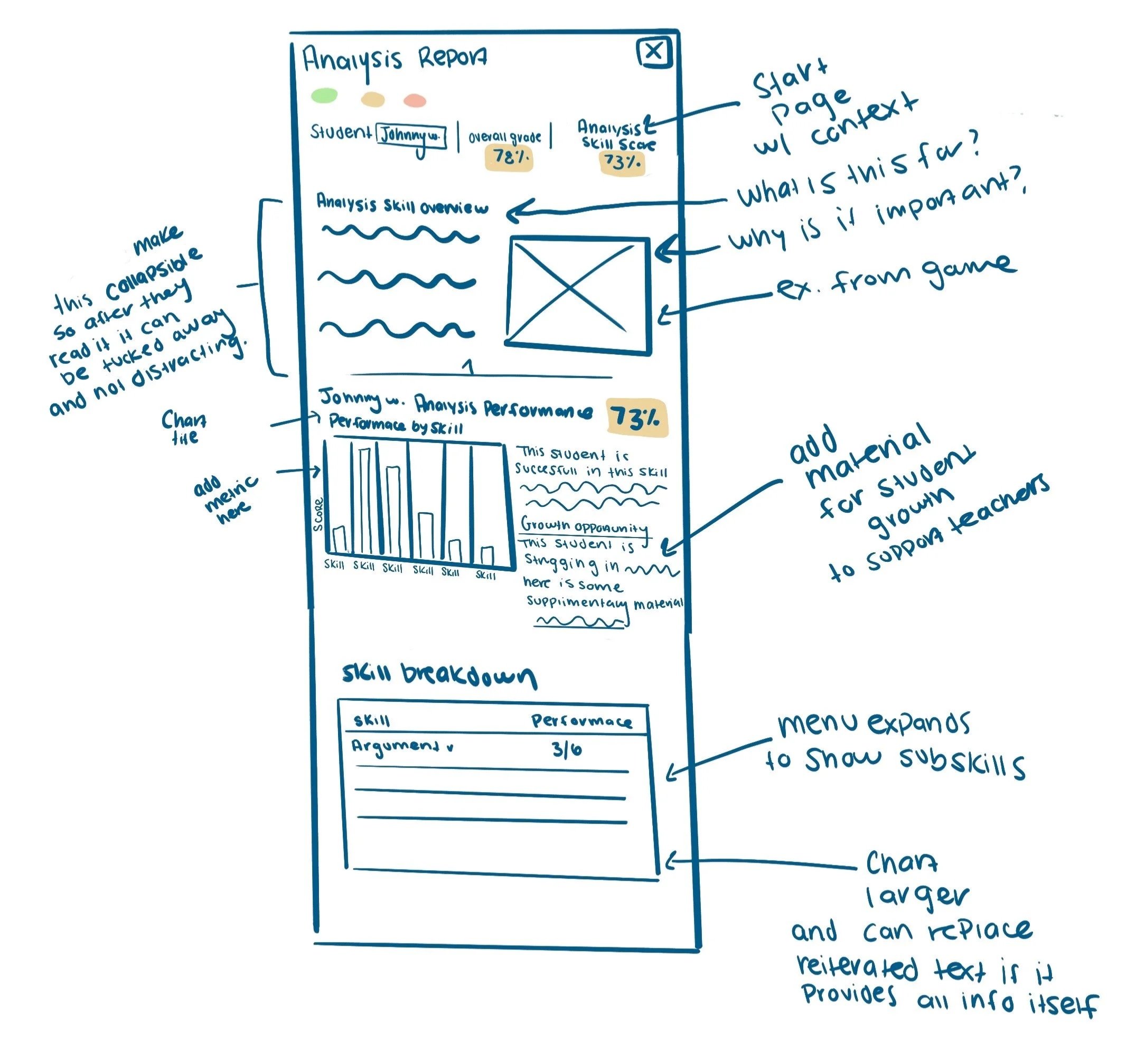
Team Redesign
How my Design thinking was carried forward
The team's redesign reflected these directions through:
More context upfront - The skill overview was rewritten to clearly explain what teachers are seeing on the page and why it matters. The section is also collapsible, allowing teachers to hide it once they understand the information and keep the focus on the data.
Less redundant explanation - Text that simply repeats what the charts already communicate was reduced, creating more space for helpful context, guidance, and actionable next steps.
A more interactive skill breakdown - The skill breakdown was given more space and restructured to make individual skills easier to explore, helping teachers quickly identify where students may be struggling.
04. Reflection
As an intern, I learned how to contribute to an existing product by identifying problems, translating observations into actionable design opportunities, and communicating ideas clearly enough for a larger team to build on them.
This project also changed how I think about design exploration. A sketch doesn't need to become the final interface to be valuable, it can help a team see a problem differently and establish a direction for solving it.
My biggest takeaway: UX influence can happen through the quality of the questions you ask, the problems you identify, and how clearly you communicate potential solutions.