
ModelMe
Interaction Design
About
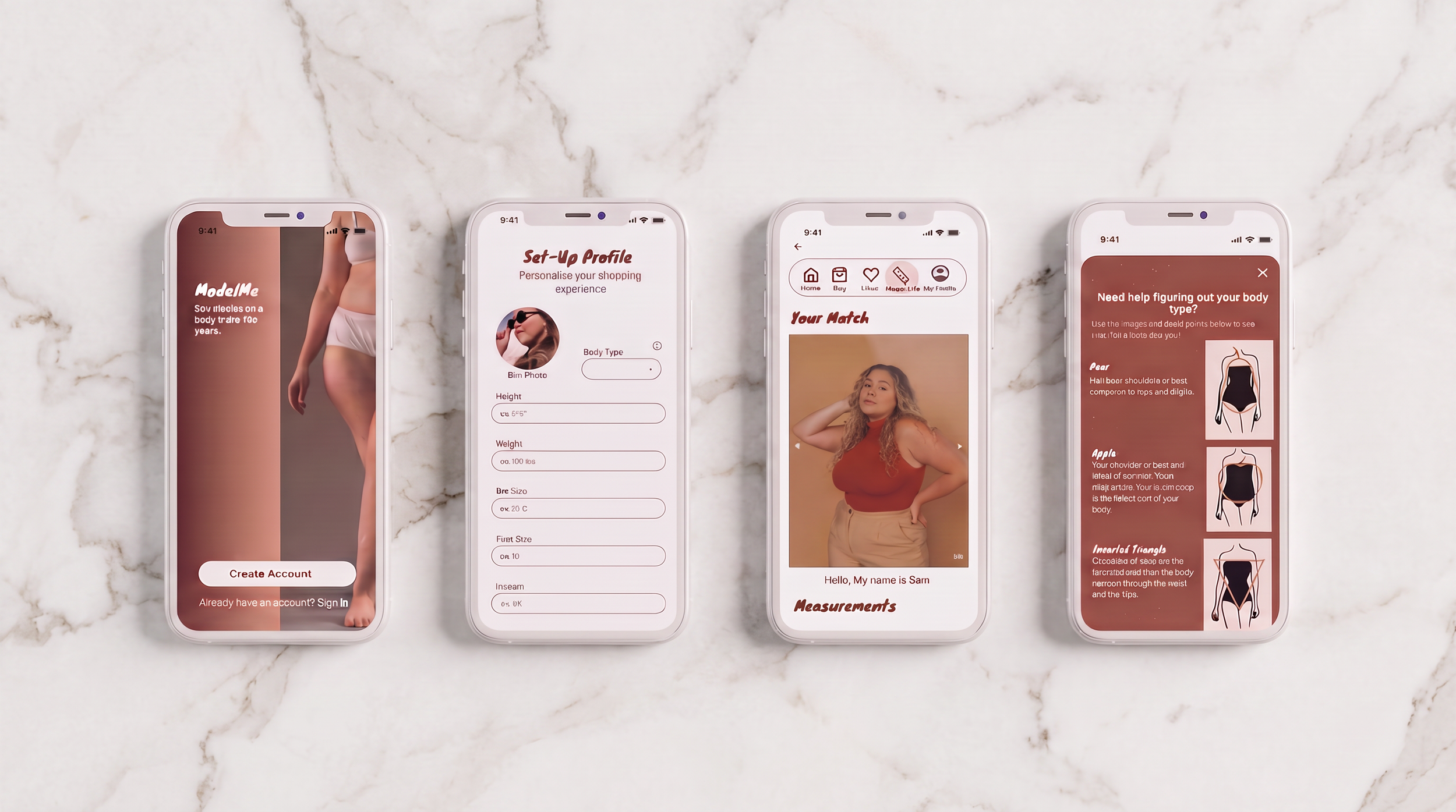
I selected this project because it demonstrates how research and user feedback can shape a product from concept to final solution. ModelMe is a UX case study exploring how online shopping can become more inclusive for mid-sized women, a group often overlooked by both standard and plus-size fashion brands. The goal was to reduce uncertainty by helping shoppers visualize clothing on models with similar body types before making a purchase. I selected this project because it demonstrates how research and user feedback can shape a product from concept to final solution.
Role & Responsibility
During this project I was responsible for:
UX research
Interaction design
Information architecture
Low-fidelity wireframes
High-fidelity UI design
Interactive prototyping
User testing
Iteration
Although this was an individual project, I collaborated with classmates throughout the process by gathering feedback and conducting usability testing.
The Problem
Problem: Mid-sized women are often underrepresented in online fashion, making it difficult to know how clothing will fit before purchasing.
Goal: Design a shopping experience that helps users confidently visualize clothing on a body similar to their own.
The Process
Brainstorming
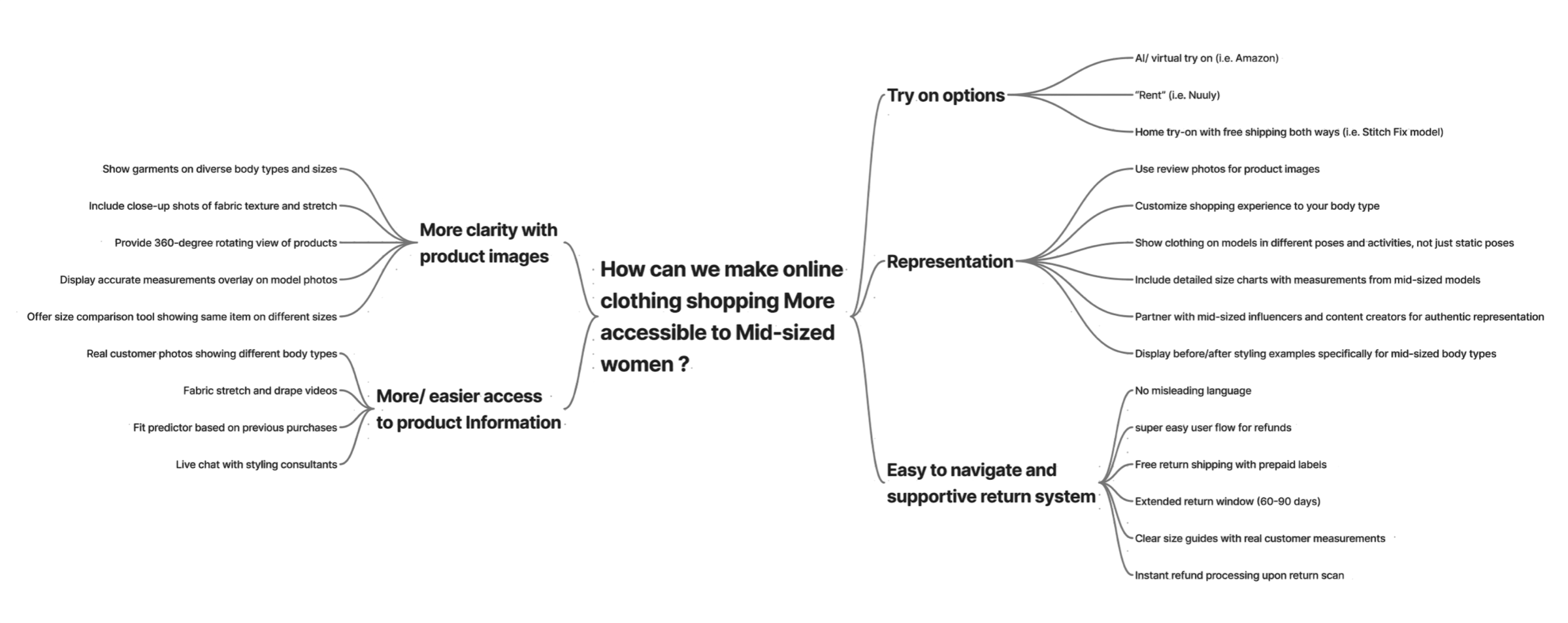
Early in the project, I had many ideas for how to improve online shopping, product information/ clarity, and navigation would make online shopping more reliable. I explored them using a mind map.
Reaserch
Understanding the Gap
Mid-sized generally refers to women who wear between U.S. sizes 10–16, although definitions can vary between brands (Dube). While the fashion industry has made strides toward size inclusivity, conversations often focus on either straight-size or plus-size consumers, leaving mid-sized women in an overlooked middle ground. Vogue Business found that only 2% of 9,038 runway looks featured mid-size models, compared with 97.1% straight-size and 0.9% plus-size looks (Shoaib).
As a result, many mid-sized women may struggle to find clothing displayed on bodies that resemble their own, making it more difficult to judge fit, style, and how they will feel in the clothing when shopping online. This lack of representation extends into e-commerce, where shoppers often rely on standard product images, sizing charts, and limited customer photos.
Fit and sizing are also major concerns for online fashion shoppers. A Vogue Business survey found that poor fit (43%) and inconsistent sizing (36%) were among the biggest factors discouraging consumers from purchasing fashion, particularly for mid- and plus-size shoppers (Shoaib). Together, these findings revealed an opportunity to create a shopping experience that better represents mid-sized bodies and helps consumers make more confident purchasing decisions. This gap became the foundation for ModelMe.
Competitive Research
I began by researching existing online shopping platforms, including Amazon, Nuuly, Urban Outfitters, Torrid, SKIMS, Stitch Fix, and Cider, to better understand the current shopping experience. I looked specifically at how these platforms approached product discovery, filtering, sizing information, reviews, and representation to identify opportunities for improvement.
Insight
As I spoke with more users throughout the project, a clear pattern emerged. While participants discussed issues like inconsistent sizing, poor material quality, misleading product photos, and hidden reviews, these frustrations all pointed to one underlying need: confidence. Users wanted a more realistic way to understand how clothing would fit and look on their own bodies before making a purchase.
User Flow & Information Architecture
Card sorting helped me organize the platform around users' mental models, creating an intuitive information architecture that served as the foundation for the shopping experience. At this stage, my focus was still broad, with the goal of designing an online shopping platform that was simple and easy to navigate.
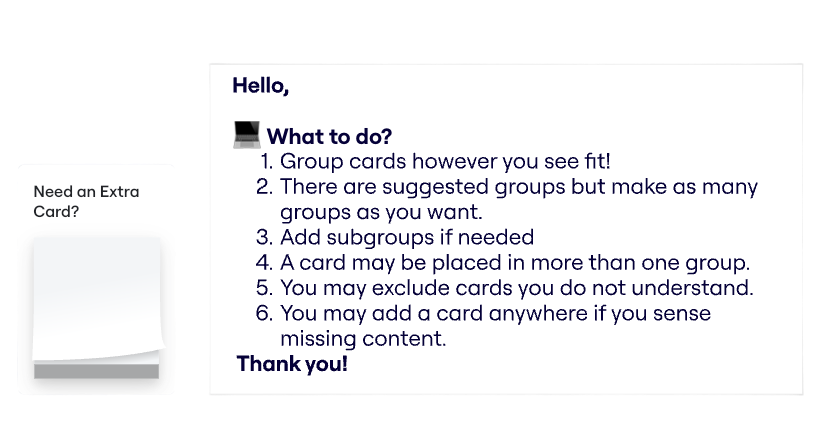
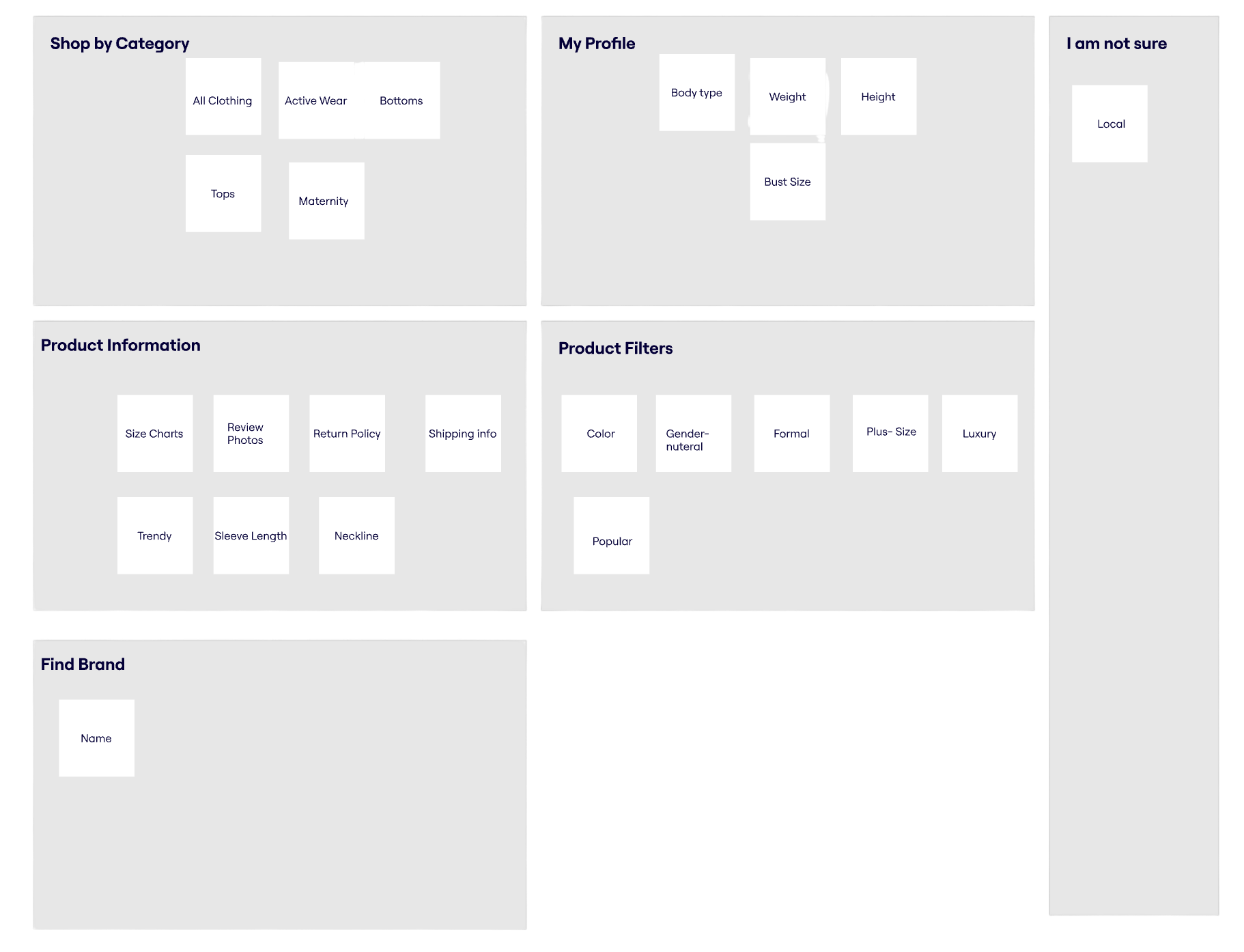
FIG 1. Card sort test with results #1
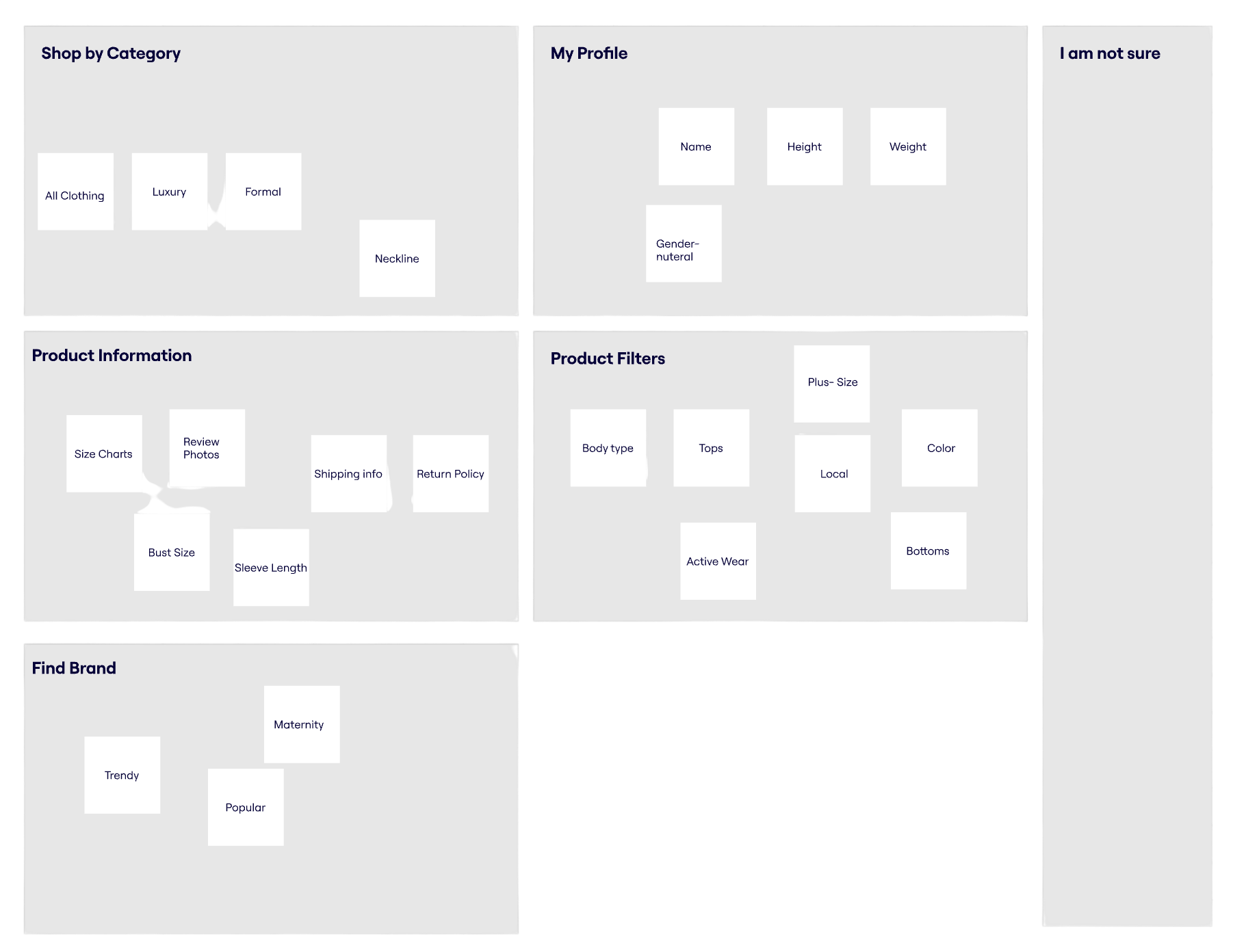
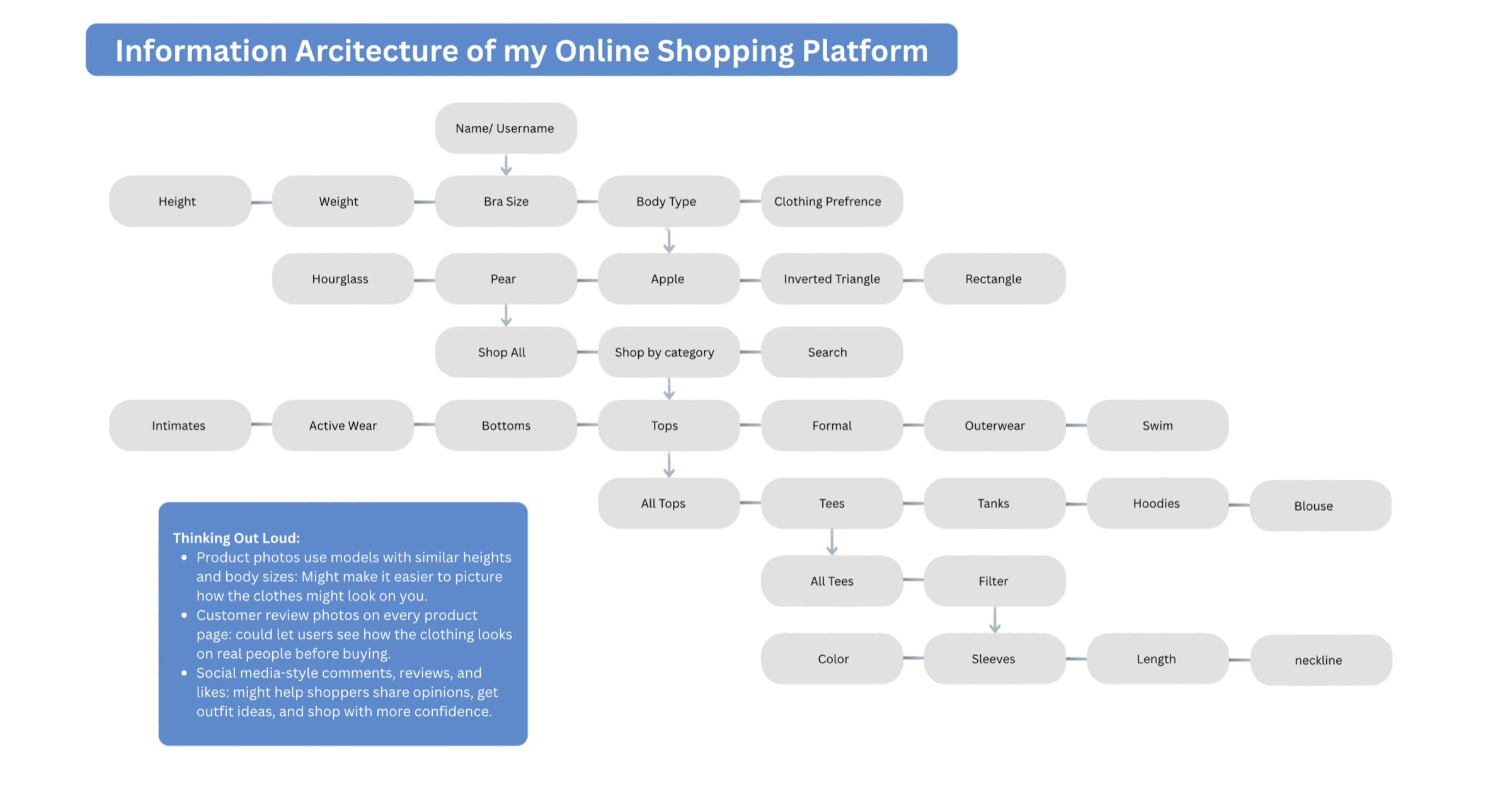
FIG 2. Card sort test with results #2
FIG 3. Information architechture based on card sort testing results
Sketching
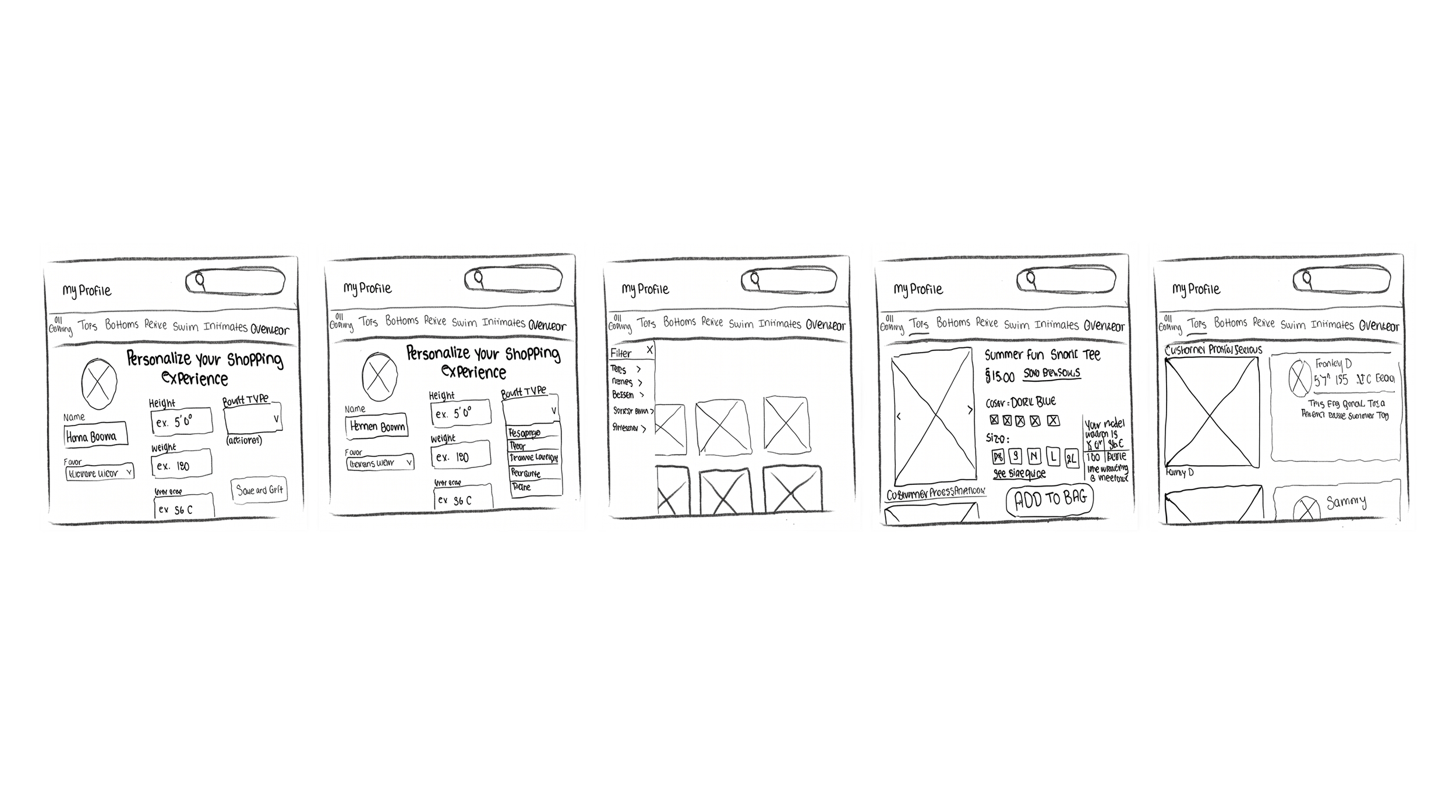
Using rough sketches, I transformed my research into early interface concepts. This phase was focused entirely on exploration, allowing me to rapidly generate and evaluate ideas without worrying about visual polish.
FIG 4. Initial sketching
Testing & Iterations
Testing was the most valuable part of my design process. I conducted one round of pilot testing with three users, followed by two official rounds of user testing and interviews, using each round of feedback to refine both the interface and my understanding of the problem.
some of the biggest changes included improving navigation with clearer headers, adding privacy controls, and review summaries, creating a dedicated Model Info page, and introducing a “How This Works” section to build user trust.
Pilot Testing
3 Participants
Goal:
Practice my test protocol
Test overall navigation
Test for effectiveness of hierarchy
What I learned:
Users need more guidace and orientation during profile set-up
Navigation required refinement
Too much clutter
Privacy options were important for building user trust.
Fit uncertainty and returns remained major shopping pain points.
What Changed
Improved page hierarchy with clear headings.
Clarified call-to-action buttons.
Redesigned using a mobile-first approach.

FIG 5. First low fidelity wireframes using Figma and a mobile first design
Testing Round 1
2 Participants
Goal(s):
major functionality of features
understanding of what the app is or has to offer
is my design meeting my intended goal?
What I Learned
Users needed the app's purpose to be clearer.
My original focus was too broad and centered on general online shopping features.
Users wanted confidence that clothing would fit their body, not just better shopping tools.
Privacy options were important when sharing personal body information.
How I Responded
Refocused the design question around representation and shopping confidence
Designed a Model Info feature to explain each user's model match
Added a privacy option for users sharing body measurements.
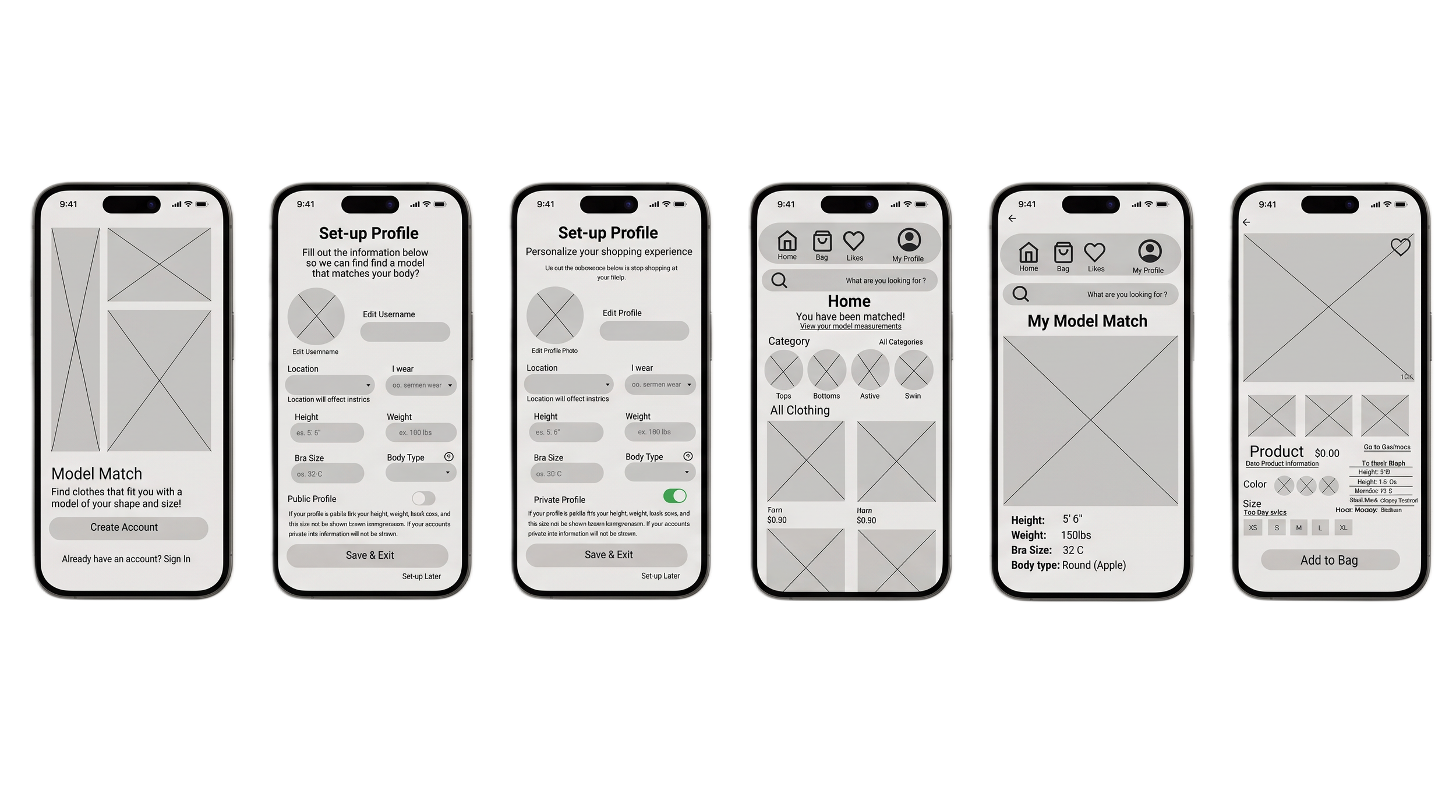
FIG 6. Second round of low-fidelity wireframes
Testing Round 2
3 Participants
Goal(s):
Validating my new changes
Have any new issues come up due to new changes?
User confidence and satisfaction
User understanding of concept and design
What I Learned
The overall navigation felt intuitive and easy to use.
Some screens felt cluttered and overwhelming.
Users wanted a clearer explanation of how model matching worked.
Not everyone knew their body type without additional guidance.
Participants responded positively to the app's core features.
How I Responded
Simplified screens by reducing visual clutter
Separated key information across multiple screens
Added a Body Type Guide to help users identify their shape
Created a How It Works page to explain the model-matching process.
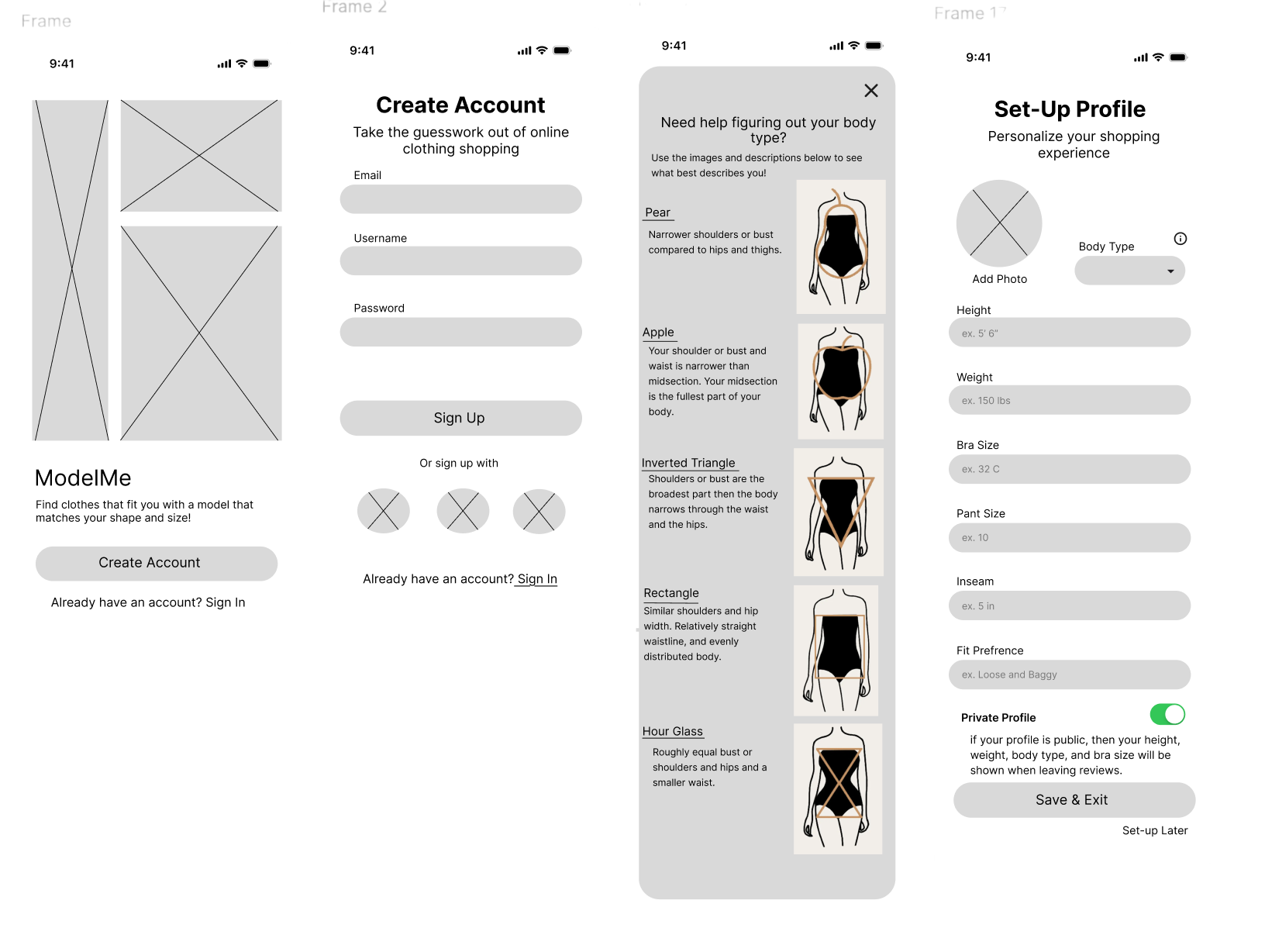
FIG 7. Third round of low fidelity pt.1
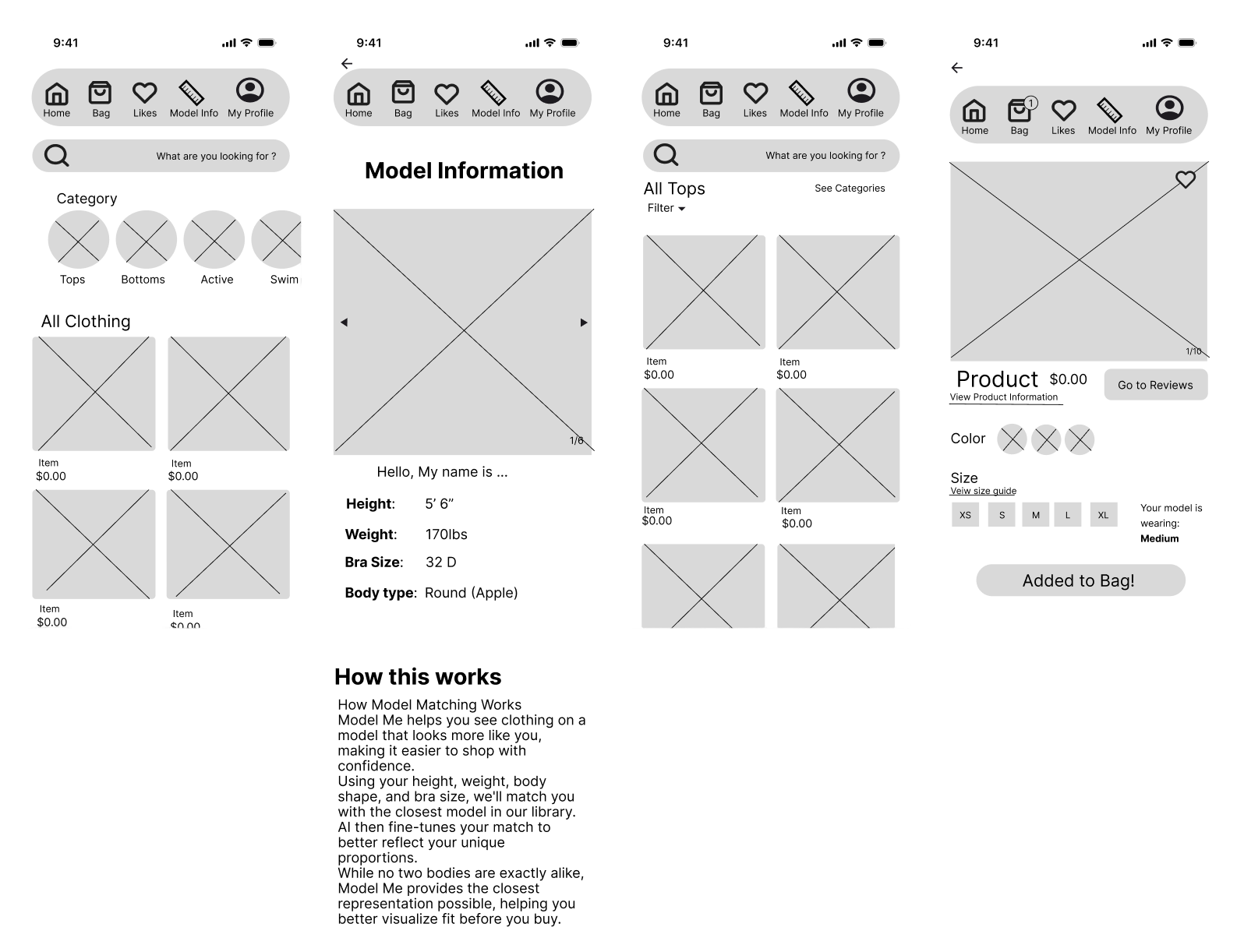
FIG 8. Third round of low-fidelity pt.2
Visual Design
ModelMe uses a warm palette of neutral and nude tones to create an inviting, inclusive experience. Paired with clean layouts, ample white space, and simple navigation, the interface feels approachable and easy to use while keeping the focus on helping users shop with confidence.
FIG 9. Landing page
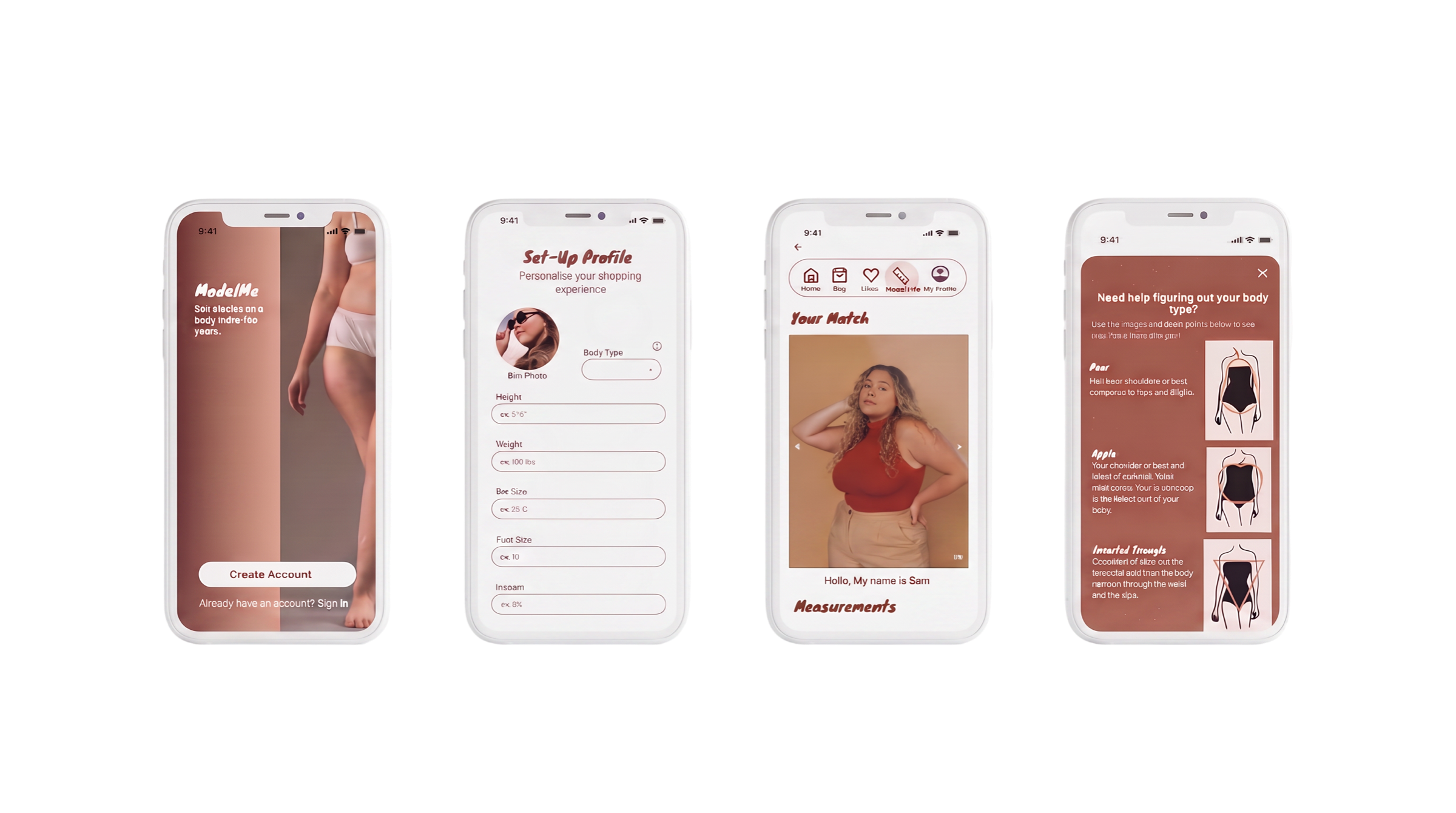
FIG 10. Profile Set-up
FIG 12. Body type guide
FIG 11. Model match page
Solution Summary
The final solution introduced a model-matching system that allows users to view clothing on models with body types similar to their own.
By providing more realistic product representation, the experience helps users better understand how clothing fits before purchasing, creating a more confident and user-centered shopping experience.
Impact & Reflection
This project changed the way I think about design.
I realized the most important part of UX is continuously learning from users and allowing that feedback to shape the direction of the product.
If I continued this project, I would build a fully interactive prototype, conduct usability testing with a larger and more diverse group of users, and explore ways personalization could improve the accuracy of the model-matching experience.
Work Cited
Dube, Rachel. “What Is Mid-Size Fashion? Experts Explain the TikTok Trend.” TODAY, 11 Oct. 2021.
Shoaib, Maliha. “Sizing Is Stopping Consumers from Shopping. Here’s What Brands Need to Know.” Vogue Business, 2025.
Shoaib, Maliha. “The Vogue Business Spring/Summer 2026 Size Inclusivity Report.” Vogue Business, 13 Oct. 2025.